How to save a link from an email on iPhone (without starring the whole message)
Published · 4 min read
In the Mail app, press and hold a link in the message. A menu appears with options such as Copy Link, Add to Reading List and Share, so you can keep the link without opening it. Starring or flagging the email works too, but then the link stays hidden inside a message you have to find again.
This guide covers Mail and other email apps, and how to keep the links you want in one list. Menu names differ between iOS versions and between email apps, so if an option is missing, use the next method.
How do I save a link from the Mail app?
- 1Open the email and press and hold the link (do not just tap it, which opens the page).
- 2A menu with a preview opens. Depending on your iOS version, it offers options such as Copy Link, Add to Reading List and Share.
- 3Choose Share to send the link to an app that saves links, or Add to Reading List to put it in Safari’s Reading List.
If the menu does not show what you expect, tap the link to open the page in Safari and save it from there with the Share button.
What about Gmail, Outlook and other email apps?
Other email apps decide for themselves what happens when you press a link. Some show a menu with Copy link, some open the page in a built-in browser, and some use your default browser. Look for a Share button or a three-dot menu on the page that opens.
When an app only lets you copy the link, copy it and paste it into a place that keeps it. Without that step it lives on the clipboard only until you copy something else; see how to find a link you copied on iPhone.
Should I star or flag the email instead?
Flagging works when you need the whole message, for example an order confirmation or an invitation. For an article or page someone sent you, the link is the thing you want, and a flagged list gets long and hard to search by page title. Another option is to forward the email to yourself, which is covered in how to send a link to yourself on iPhone.
How do I keep links from emails in one place?
Linkeeper is an iPhone and iPad app that saves links from any app in one tap and keeps them in one organized, searchable library to read later. Any email app that offers the standard Share button can send a link to it.
- 1Press and hold the link in your email, or open the page and tap Share.
- 2Choose Linkeeper in the share sheet. The app does not open; a small card confirms the save, or says the link is already saved.
- 3If the app only copies links, copy it, open Linkeeper’s add screen and tap the Paste chip it offers. iOS may ask you to allow pasting.
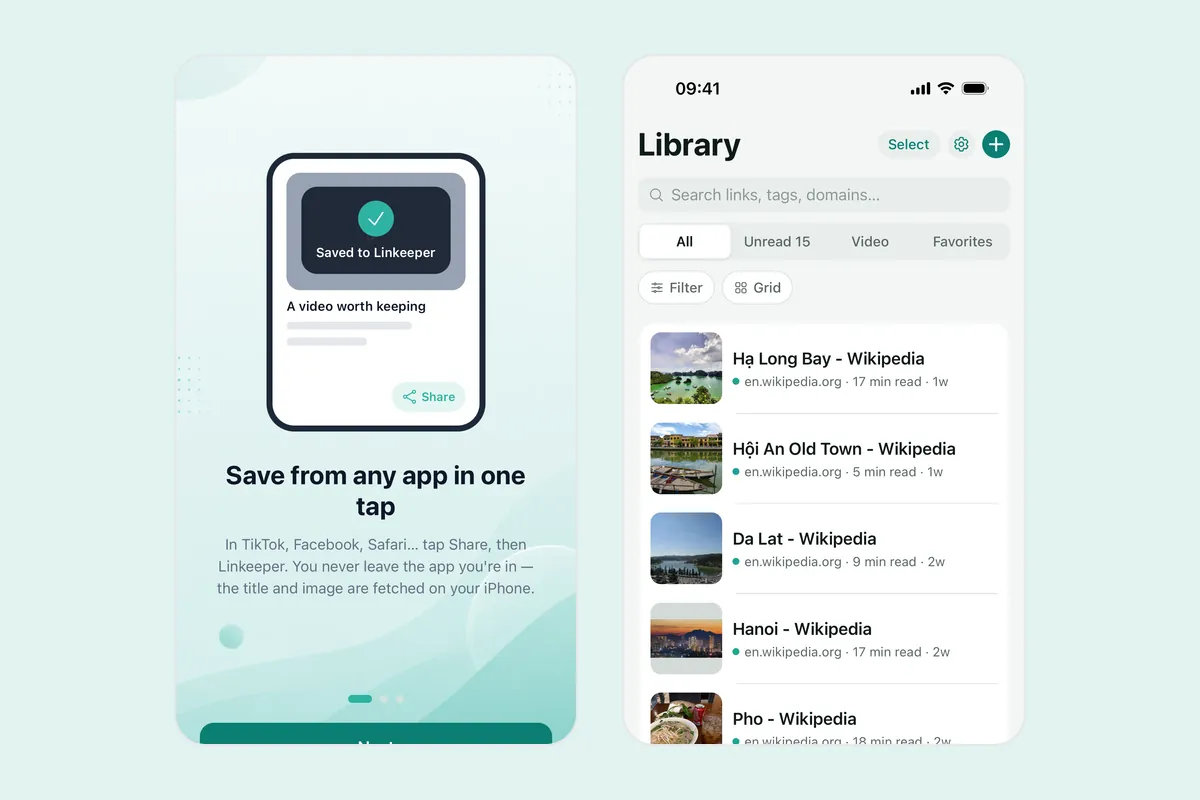
Linkeeper tries to fetch the title and a thumbnail; if it cannot, you can still save the link. Saved links are stored on your device first, so searching works without a connection. If Linkeeper is not in the share sheet row, see how to add an app to the iPhone share sheet.
Is it safe to open links in emails?
Pressing and holding shows where a link leads before you open it. If an email asks you to log in or pay through a link you did not expect, go to the company’s site yourself instead of using the link.
Frequently asked questions
- How do I copy a link from an email on iPhone?
- In Mail, press and hold the link and choose Copy Link if your iOS version shows it. In other email apps, open the page and use its Share or menu button.
- How do I add a link from an email to the Reading List?
- In Mail, press and hold the link and look for Add to Reading List. Otherwise open the page in Safari, tap Share and choose Add to Reading List.
- Can I save a link from an email without opening it?
- Usually yes. Press and hold the link instead of tapping it, then copy it or share it from the menu.
- Does Linkeeper work with email apps?
- Linkeeper appears in the iOS share sheet, so you can choose it wherever an email app offers the standard Share button. If an app only offers Copy link, copy it and use Paste in Linkeeper’s add screen.